---

Kamis, 29 Oktober 2009

7-Zip

0 komentar

7-Zip is a file archiver with a high compression ratio.

Download 7-Zip 4.65 (2009-02-03) for Windows:

Link Type Windows Size
Download .exe 32-bit 1 MB
Download .msi x64 1 MB

The download links above redirect you to download pages on SourceForge.net

License

7-Zip is open source software. Most of the source code is under the GNU LGPL license. The unRAR code is under a mixed license: GNU LGPL + unRAR restrictions. Check license information here: 7-Zip license.

You can use 7-Zip on any computer, including a computer in a commercial organization. You don't need to register or pay for 7-Zip. But you can make a donation to support further development of 7-Zip.

The main features of 7-Zip

  • High compression ratio in new 7z format with LZMA compression
  • Supported formats:
    • Packing / unpacking: 7z, ZIP, GZIP, BZIP2 and TAR
    • Unpacking only: ARJ, CAB, CHM, CPIO, DEB, DMG, HFS, ISO, LZH, LZMA, MSI, NSIS, RAR, RPM, UDF, WIM, XAR and Z.
  • For ZIP and GZIP formats, 7-Zip provides a compression ratio that is 2-10 % better than the ratio provided by PKZip and WinZip
  • Strong AES-256 encryption in 7z and ZIP formats
  • Self-extracting capability for 7z format
  • Integration with Windows Shell
  • Powerful File Manager
  • Powerful command line version
  • Plugin for FAR Manager
  • Localizations for 74 languages
7-Zip

7-Zip works in Windows 98/ME/NT/2000/XP/Vista. There is a port of the command line version to Linux/Unix.

On 7-Zip's Source Forge Page you can find a forum, bug reports, and feature request systems.

Compression ratio

We compared 7-Zip with some of the leading archivers.

FILE SETS: Mozilla Firefox 1.0.7 for Windows and Google Earth 3.0.0616 for Windows after full installation.

Archiver Mozilla Firefox Google Earth
161 files
15,684,168 bytes
115 files
23,530,652 bytes
Compressed size Ratio Compressed size Ratio
7-Zip 4.23 (7z format) 4621135 100% 6109183 100%
WinRAR 3.50 5021556 109% 6824892 112%
CABARC 5.1 5131393 111% 7434325 122%
WinZip 10.0 beta (maximum-PPMd) 5277118 114% 8200708 134%
7-Zip 4.23 (zip format) 6222627 135% 8909446 146%
WinZip 10.0 beta (maximum-portable) 6448666 140% 9153898 150%

Compression ratio results are very dependent upon the data used for the tests. Usually, 7-Zip compresses to 7z format 30-70% better than to zip format. And 7-Zip compresses to zip format 2-10% better than most of other zip compatible programs.


http://www.7-zip.org

Client for Google Translate

0 komentar
Just select text in your web-browser or other application and get instant translation by Google Translate Service.

Google Translate is the most widely used free translation service. But translating a webpage or a piece of text can still be a tiresome process: you need to visit Google Translator website, copy/paste the text, choosing the language... Too long!

Client for Google Translate is a free translator which translate text in every Windows application such as Outlook, MS Word, Internet Explorer, Firefox and so on.

http://translateclient.com/


Free download

Version: 4.0.207
Release Date: 2009-10-28
Size: 2.5 MB
OS: Win (98, 2000, XP, Vista, 7)
Requirements: Internet connection
License: Freeware


Download Client for Google Translate Free download
Client for Google Translate

Rabu, 28 Oktober 2009

Dr.Web CureIt! 5.0.7.1026

0 komentar

Dr.Web CureIt! is a FREE antivirus and antispyware utility based on Dr.Web Anti-virus scanner, which will help you quickly scan and cure, if necessary, a computer operated by MS Windows 95OSR2/ 98/Me/NT 4.0/2000/XP/2003Vista without installation of the Dr.Web Anti-virus.

Download here

Dr.Web CureIt! automatically detects the language of the OS it is installed to and sets the scanner interface accordingly (if the local language is not supported, English is enabled).

The utility contains the most up-to-date add-ons to the Dr.Web virus databases going up to twice per hour frequency at periods of high malware submissions.

Dr.Web CureIt! detects and removes :

* Rootkits * Mass-mailing worms * E-mail viruses * Peer-to-peer viruses * Internet worms * File viruses * Trojans * Stealth viruses* Polymorphic viruses * Bodiless viruses * Macro viruses * MS Office viruses * Script viruses * Spyware * Spybots * Password stealers * Keyloggers* Paid Dialers * Adware * Riskware* Hacktools * Backdoors * Joke programs * Malicious scripts * Other malware*

How do I update Dr.Web CureIt?

This utility can quickly clean an infected system, but it is not a permanent tool to cure your computer in case of infection. Its distribution on our web-site is always armed with the hottest add-ons to the Dr.Web virus database, but it does not include the Dr.Web Automatic Updating utility. Dr.Web CureIt! stays actual until the next release of the add-on. To scan your computer with the most up-to-date Dr.Web virus databases next time you should download new Dr.Web CureIt! package.

Download here

from : http://www.scanwith.com

Selasa, 27 Oktober 2009

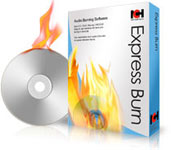
Express Burn Disc Burning Software

0 komentar

Burn Audio CDs and Data CDs, DVDs or Blu-ray Discs

Burning software to create and record audio and data CDs quickly and easily on Windows or Mac.

  • Ultra fast burning to save you time
  • Burn audio, video or files to CD, DVD or Blu-Ray
  • Drag and drop files straight into the application
Download Express Burn for Windows.

Get it Free. A free version of this software is available for non-commercial use only for CD burning online. The free version does not expire but will only burn normal CDs. If you are using it at home you can download the free version here.

Audio CD Recording *
For traditional CD players
  • Audio is recorded with direct digital recording so perfect audio quality is maintained
  • Audio CD burning supports wav, mp3, wma, au, aiff, ra, ogg, flac, aac and a number of other audio file formats
  • Can normalize audio volume and burn audio CDs in seamless mode with no pause between tracks
Video DVD Authoring *
To play on a DVD player - commercial version
  • Video files will be re-encoded and made in to a standard DVD Movie disk
  • Video burning supports avi, mpg, vob, asf, wmv, mp4, ogm and all video formats that have a DirectShow based codec
  • Widescreen or standard formats for video dvd burning
  • Record video files to PAL or NTSC
Data CD, DVD or Blu-Ray Writing
Perfect for creating backup discs
  • Data CDs are fully ISO compliant with Joliet extension
  • Burns ISO compliant data DVDs (4.5GB+ DVD-R, DVD-RW, DVD+R, DVD+RW - commercial version only)
  • Burn Blu-ray discs (25GB/50GB BD-R, BD-RE, BD-R DL, BD-RE DL - Windows commercial version)
Advanced Disc Burning Features
  • Supports multi session recording to Audio CD or DVD.
  • Records CD Recordable (CDR) and CD Re-recordable (CDRW) discs (and DVD and BD equivalents)
  • Includes command line operation for automation and integration with other programs

System Requirements
  • Works on Windows Vista 2000/XP/2003/2008 and Windows 7
  • For earlier Windows versions (98, ME) click here
  • Mac OS X 10.2 or later
  • CD-ROM drive which supports recording
  • For DVDs a DVD-ROM drive which supports recording
  • For Blu-ray Discs a BD-ROM drive which supports recording

from : http://www.nch.com.au

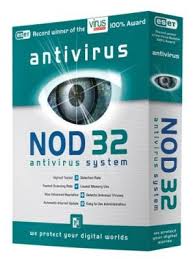
Smart Security Nod32 v3

0 komentar

NOD32 smart security v3 is one of the best antivirus in the world. You will not regret to use a laptop or pc to your computer. Download now and see the ability to catch viruses that have been harmful to your computer and laptop Please download here

CCleaner 2.25.1025

0 komentar

download file

CCleaner (Crap Cleaner) is a freeware system optimization tool that removes unused and temporary files from your system, allowing Windows to run faster, more efficiently and giving you more hard disk space.

The best part is that it's fast! (normally taking less that a second to run) and Free.

CCleaner cleans the following:

· Internet Explorer: Temporary files, URL history, cookies, Autocomplete form history, index.dat.
· Firefox: Temporary files, history, cookies, download history, form history.
· Google Chrome: Temporary files, history, cookies, download history, form history.
· Opera: Temporary files, history, cookies.
· Safari: Temporary files, history, cookies, form history.
· Windows: Recycle Bin, Recent Documents, Temporary files and Log files.
· Registry cleaner: Advanced features to remove unused and old entries, including File Extensions, ActiveX Controls, ClassIDs, ProgIDs, Uninstallers, Shared DLLs, Fonts, Help Files, Application Paths, Icons, Invalid Shortcuts and more... also comes with a comprehensive backup feature.
· Third-party applications: Removes temp files and recent file lists (MRUs) from many apps including Opera, Media Player, eMule, Kazaa, Google Toolbar, Netscape, MS Office, Nero, Adobe Acrobat, WinRAR, WinAce, WinZip and many more...
· 100% Spyware FREE: This software does NOT contain any Spyware, Adware or Viruses.

CCleaner comes in 3 flavours :

CCleaner Standard which contains the Toolbar and extra languages
CCleaner Slim which contains No Toolbar & English Only
CCleaner Portable which contains the normal CCleaner program, but it doesn't require installing.

What's New in CCleaner 2.25.1025 :

· Improved Windows 7 jump list cleaning.
· Improved Windows 7 thumbnail cache cleaning.
· Added support for Windows Server 2008 R2.
· Improved 64-bit support and performance.
· Fixed issue with Windows 7 task scheduler.
· Fixed issue with Startup tool, displaying incorrect folder contents.
· Added support for AVG Antivirus 9.0.
· Added support for ExcludeKey in INI files.
· Improved support for wildcards and RECURSE/REMOVESELF.
· Fixed minor GUI bugs in non-English versions.
· Fixed minor GUI usability issues.
· Improved input validation.
· Lots of minor bugs fixed.

download file

from http://www.scanwith.com

Selasa, 13 Oktober 2009

Tips Caring for LCD Monitor Screen

0 komentar

Just share the same friends ... tips on caring for the LCD monitor, sometimes we only know to use but do not really know how to care for her ... So a few tips that may be useful for users of LCD monitors. These tips are not only true for LCD monitors, but also devices such as digital cameras, cell phones, calculators, PDAs.

1. When cleaning the monitor, try the state of electrical power supply cable dead and uprooted. In order to avoid the electricity that may arise, when we clean the monitor screen.

2. Equipment used to clean the monitor consists of a soft cloth and a special cleaning fluid monitor. If you do not have a special cleaning fluid monitors, can use water mixed with a little liquid soap.

Warning!!
Avoid liquids that contain alcohol, because it can damage the screen. Share a little of me that I had used alcohol usually dipake to clean the wound levels 70% to clean my Casio calculator screen and result screen becomes blurred and scratched there - here, pokoke sad fate.

3. When using cleaning fluid monitors, do not spray liquid directly on the monitor, but the first spray on the cloth.

4. When wiping the screen, do it slowly and not push the hard surface of the screen wipe monitor.Usahakan with one-way movement.

5. To be more secure LCD monitors, you can use a screen protector that protects the screen from dust or scratches.

6. Avoid putting Spiker or objects - objects from the electronic monitor, because it can cause magnetic interference, thus damaging the monitor display.

7. Avoid putting the monitor or other electronic devices in locations exposed to direct sunlight, because it can damage the electronic resistance.

Few tips from me, may be useful

Improving Own Computer

0 komentar

If your PC often show a lawyer-alamatan complex, or displays an error message, a beep sounds continuously uniformly or irregularly, the PC is probably in trouble, I will provide tips and solutions to overcome these problems and the PC You can serve again as usual.If your PC often show a lawyer-alamatan complex, or displays an error message, a beep sounds continuously uniformly or irregularly, the PC is probably in trouble, I will provide tips and solutions to overcome these problems and the PC You can serve again as usual.

Problems or damage arising usually categorized in 2 types of damage are: Problems or damage to hardware and software.

Damage Type Can be categorized into 2 categories, namely:

1. Damage to the Hardware (Hardware)

2. Damage to the Software (Software)

Damage to the Hardware (Hardware)

Problems with hardware components which need serious treatment because it is difficult localized and removed without the proper tools, skills and experience that support. The explanation will revolve around the problems that often occur along with how to handle it.Problems with hardware components which need serious treatment because it is difficult localized and removed without the proper tools, skills and experience that support. The explanation will revolve around the problems that often occur along with how to handle it.

Damage to the Power Supply

Symptoms:

Once turned on the PC does not react to anything, there is no display on the monitor, there is no indicator light (LED) is lit, power supply fan is not spinning, the indicator light on the monitor is not lit.

Solution:

Check whether the cable is properly connected and properly installed the plug on soketnya, also check that there is the on / off behind exactly behind the Power Supply is in the On position, If you are sure it locks into place, but still no response to assure you please replace the power cable with which you believe in good. Problems occur because of the lack of incoming voltage, there is damage to the power cable.

Problem:

Once turned on the PC does not react to anything, there is no display on the monitor, there is no indicator light (LED) is lit, power supply fan is not spinning, the indicator light on the monitor.

Solution:

Proceed as above step, but if there was still no response means there is a problem in Power Supply, PS Please change it, I suggest you should just replace the damaged Power Supply with a new one, and be careful in the installation.

Note: If the damage is only on the Power Supply alone, When you replace it, the computer will return to work normally. Unless there is a problem in other components such as the Mother Board, VGA Card and Memory.

Damage to the Mother Board

Symptoms:

Once turned on, no display on the monitor, the indicator light (led) on the front panel is lit, the indicator light (led) flashing monitors, power supply fan and processor fan spin, no beep sound on the speakers.

Solution:

The first step off all power cables are connected to the electrical, data cable to the monitor, cable keyboad / mouse, and all cables are connected to the CPU, then screw the cover off all cashing. In an open case please also remove other components, namely cable from the power supply voltage is connected to the motherboard, hard drive, floppy, be careful in the process do not rush. Likewise with the card attached to the Mboard (VGA, Sound or Other Card). Now attached to the motherboard just cashing it. Please check carefully Motherboadnya, see Chip (IC), Elko, transistor and others if there is a fire.Solution:

The first step off all power cables are connected to the electrical, data cable to the monitor, cable keyboad / mouse, and all cables are connected to the CPU, then screw the cover off all cashing. In an open case please also remove other components, namely cable from the power supply voltage is connected to the motherboard, hard drive, floppy, be careful in the process do not rush. Likewise with the card attached to the Mboard (VGA, Sound or Other Card). Now attached to the motherboard just cashing it. Please check carefully Motherboadnya, see Chip (IC), Elko, transistor and others if there is a fire.

If there are no signs of burnt components motherboard is still good possibility, but there are times when Mother board is not working because of damage to the programs contained in the BIOS

Symptoms:

At the time of the CPU and then switched to the post after that the process does not continue and was silent for a moment did not directly go to the operating system, and then the screen is the message 'disk error, disk Failur, after it appeared the message "press F1 to continou" after we pressing the F1 key does not enter operating system and appears the message "Operating system not found".

Damage to the Hard Disk

Solution:

Check voltage cables and data cables into the hard drive is loose, should be tightened, then switch it on and let you listen to what came out of a normal hard disk, if not normal means controllernya damaged hard drive.


Symptoms:

At the time the CPU and then switched to the Post after it appeared the message "Operating system not found".

Solution:

Operating system there is the possibility of damage, can be overcome by installing OS ualng or if you are using windows 2000/XP there Repairnya facilities. or there is possibility also to your hard disk is not detected and do the above

Symptoms:

hard disk bad sector?

Solution:

There are several factors that cause bad sectors occurred among them, the voltage is unstable, often decided in a sudden flow of electricity, after the use is not in the shot down, consumption is too long, there are 2 kinds of bad sector physical and software ... .. To fix this there several ways, including using software to remove badsector .... Further discussion on eBooks and computer repair method can be found if you join the Active Member.

Type of damage is commonly encountered:

1. Not detected in windows

2. Can not get out in CD

3. Can not read / write / can only read it. (CD)

4. Can not read / write / write protect (floppy disk)

Solution:

1. Check the data cable and voltage cable into the CD-floppy, check it in bios setup if it is detected? should be set to auto. Check that the led is lit, if not damage the Controllernya.

2. Mechanical damage on the rubber motor or motors.

3. Usually the optical damage, but there may still be improved in a way to re-set the optics.

4. Gross Head, can be cleaned using Cutenbud (above steps are complete can be found in e-book "method of computer repair fast and accurate" and what you get if you join a member perbaikankomputer.com

BIOS problem

Symptoms:

Be careful in Bios Update, as he got the wrong update your BIOS version, the PC so no way you can not even enter the BIOS.

Solution:

Update usually can not be undone, only a certain type of motherboard that has a backup BIOS chip it in, there is saved the original BIOS types that can not be removed, for it can restore your stay special Jumper Position move that usually have no clue in the manuals. Then hidupka PC and wait 10 seconds, the original BIOS on Restore, restore Jumper position on the starting position, and the PC is ready to run again. If the motherboard does not have the pasilitas, the BIOS chip should be sent to the manufacturer, type your BIOS can see in the manuals. Careful not to install the BIOS IC legs broken or inverted position.

Symptoms:

CPU Beep sound in the speaker several times and no display to the screen, when the monitor is not a problem.

Solution:

Beep Beep indicates a specific error message from the BIOS, it shows the type of noise what went wrong on the PC, usually an error on a non-detectable Memory, VGA Card, which is not installed properly, even Processor Monitor data cable can be your penyebabnya.Silahkan check the problem.Symptoms:

CPU Beep sound in the speaker several times and no display to the screen, when the monitor is not a problem.

Solution:

Beep Beep indicates a specific error message from the BIOS, it shows the type of noise what went wrong on the PC, usually an error on a non-detectable Memory, VGA Card, which is not installed properly, even Processor Monitor data cable can be the cause. Please check the problem.

The following BIOS error message:

BIOS Beep error is usually not all. Motherboard indicates the same error depending on the type of its BIOS.

[AMI BIOS]

Beep 1x: RAM / Memory is not connected with the Fine or Damage, Beep 6x: Gate A20 error - Keyboard Showing damaged or IC-A20 Gate itself, Beep 8x: Grapihic Card / VGA Card is not installed properly or Damage, Beep 11x: checksum error, check the Bios Batre, and replace with new.

[AWARD BIOS]

1x Long beep: RAM / Memory is not connected with the Fine or Damage, 2x Long Beep 1x Short: Damage to the Graphic Card (VGA), can also check on the installation of slot does not fit (not entered), 1x Long Beep 3x Short: Keyboard broken or not installed. Beep No broken / continuous sound: RAM or Graphics Card not detected.

Damage Batrey CMOS / Weak

Symptoms: Appear message CMOS Checksum Vailure / Batrey Low, due to tegangna the IC supply CMOS / BIOS does not normally weak due batrey, thus setting the BIOS back to factory default Default-nya/setingan, and hardware configuration should be set back.

Solution: As soon as his Batrey Change

Symptoms: CPU is often Hang?

Solution: There are several factors such as hanging there: There BadSector in Hard, Some viruses, have a problem in hardware such as Memory Dirty / Damaged, Dirty MBoard / Damage, Cooling Fan fan rotation was already weak, unstable Power Supply ... .. should not be imposed to be used because it would result in more fatal, please hub: we are to overcome these problems

Symptoms: Computers often show what causes blue screen?

Solution: Blue Screen message can be caused by windows system is broken, Can of Memory, Can the hard disk, can be from other components, depending on the blue screen message is displayed.

Symptoms: Computers so more slowly than before, but not so slow at first

Solution: The cause your computer slow process there are several factors namely: disk space is too full, too many programs / software that consuming disk space and memory, there is a virus, hard drive badsector.